
| Category | Value (items) |
|---|---|
| Initial draft | 8 |
| Targeted revision | 2 |
| Reviewed version | 0 |
Constructed audit of 8 fixed, distinct cases. First review resolves 6; second resolves the remaining 2. Not observed performance or a conformance score.
The inventory looks clear on the screen. The equipment names are on the left, the four condition fields are on the right, and a group heading distinguishes this year's observations from the prior baseline. A reviewer prints it. On the third sheet one of the values reads “12,” another reads “Pending,” and no heading says what either belongs to. Someone carries the fourth sheet into a stockroom, where it is no longer obvious which other sheet contains the names of the rows. The numbers did not change. The ordinary boundary of the paper changed what those numbers could communicate.
A print proof needs to test whether a continuation preserves row and column meaning. This is a more specific question than whether the package contains all the pages in the right order. A package can print in sequence and still make an isolated sheet hard to interpret. Conversely, repeating context judiciously can let a reader use a page without reconstructing its neighbors. A useful page does not have to duplicate the whole table. It has to carry the information needed to make sense of the portion it contains.
This article follows a fictional inventory as it expands onto four sheets. It uses a constructed review count, not usability results, and distinguishes physical print from digital table semantics and preservation. The method is to carry a small amount of verified context across the break, then check whether a reader can reconstruct a particular cell from the sheet where it landed. That is a smaller and more observable goal than making a page look “like the spreadsheet.”
One cell belongs to several kinds of context
The number inside a table cell may depend on a row label, a column label, a group heading and a unit. An item named “Pump P17” in the leftmost column gives the row its identity. A column called “Average downtime” tells a reader what a value means. A parent label “Prior quarter” supplies an essential period. A unit of hours tells the reader how to interpret the number. Drop any one of those and a very legible value can make a false claim. A heading repeated on every sheet does not help if it is the wrong heading for the value below it.
Start the editing work by reconstructing one representative value in a short sentence. For example: “For Pump P17, average downtime was twelve hours in the prior quarter.” Now ask which pieces of evidence on that particular sheet establish each part. A table whose topmost visible heading is “Inventory” might be identifiable as a document but still not tell the reader that twelve refers to downtime. A page titled “Prior quarter, maintenance” might narrow the subject but leave the unit unstated. Replace vague context with the smallest precise description that can travel with the data.
Row identity is especially important when consecutive entries look alike. Two assets can share the same model and the same inspection status. A common item-name column may be insufficient if the printed sheet is routinely used to locate a specific serial number, site or storage bay. Repeat the field or fields that uniquely identify the row within the task. A stable short key can be useful, provided staff can interpret it without an unavailable lookup. A machine-only identifier isn't much help to someone standing in a storeroom with only one page.
Column meaning can be hierarchical. “Count” is insufficient under two separate period headings unless the parent headings remain associated with the right portions of the sheet. A unit in a common band can apply to several columns. A note may distinguish recorded counts from estimates. Some context will need to be repeated with each period block, and some can be written into a short standalone column title. Make the choice by looking at the proof, not by assuming that repeating the top row is always enough.
Repetition in print and semantics on a web page are related, not equivalent
The W3C Web Accessibility Initiative tables tutorial explains how headers and data cells are related in digital tables, with examples of simpler and more complex arrangements. That relationship is a useful way to reason about the print problem: a reader should be able to connect a value to its labels. The tutorial does not say which rows or columns a particular spreadsheet application will repeat on paper. Visual labels in a printed sheet also do not establish that a digital export correctly exposes header relationships to assistive technology. Check each artifact for what it actually provides.
The Library of Congress Recommended Formats Statement summary provides preservation context across formats, not a universal specification for inserting table headings at page breaks. A reference copy can preserve appearance, data or both depending on the formats retained and the details of the work. A well labelled printed proof can provide a dependable representation of a specific release. It does not replace an editable dataset when readers need to inspect or reuse underlying values. Retaining useful context in several forms is different from assuming one good printout settles all the needs.
For a concrete example of an application feature, Microsoft documents repeating specific rows or columns on printed Excel pages. The familiar choices commonly described as print titles provide a place to select the rows at the top and columns at the left in supported editions. The setting is a means, not a check result. It may repeat an unhelpful row, and the changed layout may produce additional breaks. Other applications can use different mechanisms. Read the documentation for the actual product and let the finished proof establish what reached each page.
Do not confuse a heading frozen during on-screen scrolling with a heading repeated in the exported print layout. They are different interactions. A worksheet may keep a row visible at the top of the screen while its print export omits it after page one. A different workflow might produce repeated visual labels in the exported view without retaining useful table structure. The natural desire to reuse a single well tested source is sound, but the output still needs its own test.
Draw the four sheets as a two-by-two plan
Imagine a wide inventory with enough rows to fill two pages vertically. Its columns need a second page horizontally. The physical output has four regions: the first rows with the first set of data columns, the first rows with the second set, the later rows with the first set, and the later rows with the second set. The order in which a printer stacks those sheets can differ from how someone lays them on a desk. Make the desired relationship clear through the sheet's contents instead of trusting the stack.
The sheets that continue downward need repeated column headers. Otherwise the second block of rows has nothing to tie values to fields. The sheets that continue sideways need repeated row identifiers. Otherwise values in the later column block have nothing to tie them to assets. The corner sheet, which continues in both directions, needs both kinds of help. A proof of only the first page and one vertically continued page can miss precisely the situation where features interact.
In the fictional arrangement, useful shared headings include an inventory identifier, edition or date where versions matter, and page or panel context. The period bands should follow the columns they describe. A data range description can help with navigation but should not be the only way to match values to rows. “Rows 31–60” says which slice was printed, not which asset appears on a given line after a filter or sort. Repeating the asset key is more robust for the task.
Label the page layout by relationship if that would help a reader use it. A panel might be identified as “Rows 31–60: condition and follow-up fields” rather than merely “page 4.” A simple page number is useful to detect an incomplete packet, but a meaningful panel description explains what the sheet is for. If users sometimes photocopy pages individually, visible inventory identity is worth including rather than relying on the filename of the original export. Don't crowd recurring data labels out with administrative context; the fields still have to fit and remain legible.
The audit chart counts eight fixed checks
Illustrative chart: Continuation cells lacking context. This constructed example counts failures among eight predetermined continuation-cell checks at three review stages. It is not a Library of Congress, W3C or software-vendor result, an observed audit or a conformance score. A case fails when the necessary cell meaning cannot be recovered from the sheet and its stated key without an unavailable adjacent sheet.
| Fictional proof stage | Continuation cells lacking context (items) |
|---|---|
| Initial draft | 8 |
| Targeted revision | 2 |
| Reviewed version | 0 |
For this exercise choose two cells on the lower-left sheet, three on the upper-right and three on the lower-right. Include values needing a unit, a period band, an asset identifier and the meaning of a status abbreviation. The exact cases are synthetic. The first version leaves at least one necessary element missing from each. In the targeted revision, repeating the appropriate field labels and row identifiers resolves six cases. Two still fail, for reasons a row and column setting alone doesn't fix. In the final fictional proof the contributor restores that missing context and confirms the same eight cells can be read.
The numbers refer to the same eight cases, not eight plus two plus zero independent defects. More than one problem can affect a particular checked cell. Two failures could share one missing legend, or a single cell could lack both a unit and a period. The chart measures affected checks rather than root causes or overall coverage. Zero failing checks does not show that every cell was tested or that a digital copy is accessible. Record scope explicitly if using this kind of progress count in a real report.
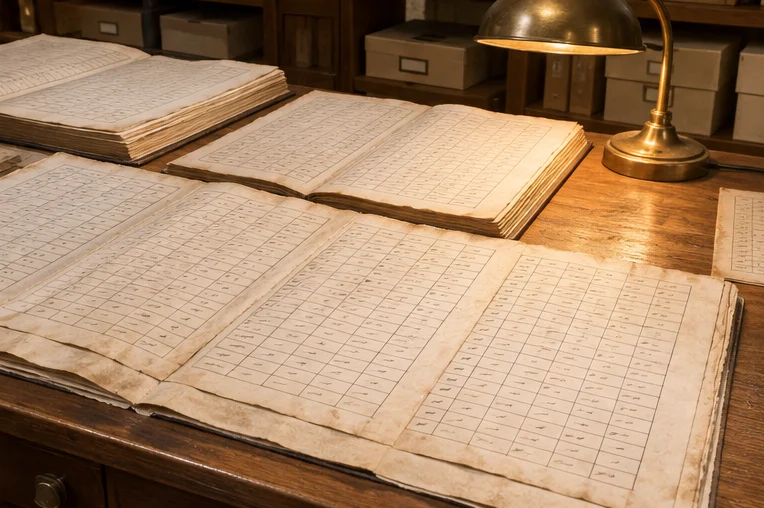
The illustration of inventory pages spread on a worktable is not the proof that these changes worked. Its role is to make the physical separation of pages easy to imagine. Test an actual print artifact using recognized cells and actual labels. A graphic chosen to explain the concept should never be substituted for an isolated-sheet reading test.
Fix headings before tuning pagination
A table can be hard to split because its headings already depend on visual inference. Start by repairing ambiguous source labels. If one section says “Current” and another “Previous,” add a period or an edition key where it is required to make comparisons. If a sequence reuses the label “Status” for facilities and for funding, give the two fields distinct names. Good print settings cannot make a contradictory heading intelligible. Conversely, headings that accurately describe their contents often make the choice of repeated rows more obvious.
Grouped headings pose a particular problem when one spans a horizontal break. A parent label centered across a broad group may appear only on the first of two sheets. Copying its parent row on every vertical continuation does not necessarily put the correct group text above the right-hand panel. If the information is essential, repeat or restate it in each panel, or move the horizontal break so a coherent group remains together. Make the period or unit explicit in local field titles if that improves usability without clutter. The layout should not force a reader to infer an empty cell is still under a group visible elsewhere.
Empty rows and spare titles can sneak into repeated areas. A workbook with several top lines may contain a report title, a gap, a note intended only for page one and the actual column headings. Repeating all of them consumes space and can call attention to a note that isn't relevant to every panel. Repeating only the final row might lose the period assigned above it. Choose the repeated block by inspecting the relationships, not by choosing a fixed number of rows used for other projects. Verify what the sheet shows after the change.
Apply the same test to row context. If the repeated left block contains a category but the unique ID is just to its right, a horizontal continuation can still require the preceding page. Extending the repeated block may create another column partition, so evaluate how much context is necessary and whether some can be combined into a concise field. Do not solve a wide table by repeating every descriptive column. A reproducible label can be sufficient for some audiences, while another audience will need a readable item description and a site identifier.
A separate printable view can be better than forcing one source layout to do every job. Reorder nonessential fields away from the critical panel, combine headings without combining data, or make intentional panels by report purpose. Preserve the underlying information and document which view is meant for which use. A snapshot for an inspection route can contain fewer columns than a complete analytical export so long as it does not claim to be complete. Removing important fields without telling readers is a change in scope, not a layout solution.
Change one page setting and see what else moves
Scaling and repetition interact. Adding a few rows to every page reduces the area available for data. Repeating identifiers takes width. A setting designed to fit a specified number of pages may then shrink all text or create inconvenient splits elsewhere. A proof needs to show the result, including its legibility. Don't call a correction complete simply because the four-sheet target has been achieved, especially when the operational result is being used on an actual floor rather than reviewed as a zoomed preview.
Start with realistic paper and margin assumptions for the receiving team. A proof for letter-size paper can differ from one sent to a device using a different page size. A desktop preview can enlarge tiny type without conveying that the real page is hard to read. For a critical packet, inspect an actual physical print at the intended scale or a comparable proof whose conditions are clearly stated. Compare the output with the file you'll distribute so the receiving office does not become the first test of a different print setup.
A manual break can preserve a set of related rows or columns. It can also leave unused space or create an orphaned subtotal when applied without checking the neighboring sheets. Choose breaks to preserve meaning, then inspect the first and last rows of each output. If those rows refer to a grouped section, verify that the group is named again as needed and the totals retain their scope. Pagination shouldn't imply that every set of values visible on one sheet constitutes a complete independent table.
Try a print-area check when some repeated columns are visible in a preview but another needed field disappears. A clipped area can present a beautifully aligned subset. A print layout might obey the intended repetition yet omit an entire block outside the selected range. Tail checks should confirm both the final row and the final column, not just one dimension of the output. If the artifact intentionally excludes material, say which fields or rows are omitted so a future comparison does not treat their absence as data loss.
Test one adjustment at a time when diagnosing. If the paper size, margin, split and scaling all change together, a new issue can be hard to trace. Make the most informative correction, then recheck the known failure cells and inspect new breaks. The goal of a simple comparison is to see why the hidden context disappeared, not to generate the largest possible number of plausible print previews.
Legends, blanks and totals can detach just like headings
A status code can carry information different from the label above it. Suppose “Pending” refers to an incomplete inspection, not uncertainty about whether an asset exists. If the definition matters to people acting from the sheet, put it on the relevant panels or make an unmistakable reference to an available key. A legend on the cover may be sufficient for a bound packet used intact. It may fail when people separate pages for different work bays. Test the expected use, not just the publisher's preferred arrangement.
A blank cell might mean not available, not applicable, not yet entered or actually no recorded amount. Graphics and dashboards sometimes use each of those conventions in different places. A code that is clear while a legend is pinned on a screen can become obscure on page three. Use text or an explicit key in the sheet where the difference affects action. Do not rewrite a blank as zero because the paper format makes it harder to distinguish statuses. The print context should preserve the data's meaning, not invent a value that fits it.
Similarly, a subtotal may be drawn on the continuation for a section beginning somewhere else. Label whether it sums all rows in a group, only the page's rows or a filtered set. A line labeled only “Total” at the foot of a page often invites a local interpretation even when it stands for a broader one. Repeated row and column headings won't fix that. If the sheet is routinely used for calculations, show the unit and scope of aggregate lines and distinguish them from ordinary records.
Color-based categories deserve a grayscale check for print. A thin tinted band might be distinct on a monitor and nearly invisible on a black-and-white office copier. Keep the distinguishing words or patterns as well as any decorative color. When banding aligns a label with later columns, check that the association is also apparent without its background. Losing some hue is not the problem; losing which year or category a value belongs to is. Useful repetition carries meaning rather than depending on the paper reproducing a specific palette.
Test the lower-right sheet by itself
Pick a cell near the beginning of the last vertical block. On the corner sheet without its neighbors, ask what item it describes, what field it belongs to, which period applies and in what unit or status vocabulary the value should be interpreted. Record which printed words the reader used to answer each question. If they got it right only because they know the workbook from memory, the sheet hasn't done the work. This is a test of local evidence, not a quiz of employee experience.
Pick another cell at a transition from one group of columns to the next. A repeated field label may be correct while its top-level heading is misaligned after the split. Check one near the page edge, where the printer or PDF page may crop some letters. Finally, test a row whose ID looks similar to that of an adjacent item. These are deliberately high-information cases. A full audit can be broader, but a purposeful sample should be described as such rather than reported as proof about the entire workbook.
Save the response, including whether the reader could identify the relevant local legend. If they needed a key and the workflow normally supplies it separately, check that the key is identifiable and likely to be available. A page that fails in complete isolation may be fit for a tightly bound report. It may not be fit for individual sheets handed to several crews. Name the use case so someone doesn't accidentally reuse the proof verdict under different conditions. The fictional chart assumes the applicable stated key exists with each proof where the design requires it.
The same test can be run with a deliberately wrong page from an older version. Can the reader tell that it belongs to a different edition even if the headings look the same? Look for a meaningful identifier on the sheet; a file timestamp that isn't printed cannot help with an isolated page. This matters when packets are reprinted selectively. You don't need a giant version banner, but the identifier should be visible enough to use when people reconcile two values attributed to apparently identical pages.
Keep additions from becoming accidental inventory entries
When headings are repeated only in the print presentation, the original table can still have a single organized set of data rows. A different workflow might create separate tabular panels by copying rows and headers into several editable sheets. That can be valid, but it introduces a risk that repeated identifier columns or local heading rows are treated as new observations when someone recombines data. Decide which artifact is meant to be parsed and which is meant to be read at a glance. Provide a clean data representation if readers need it.
If the inventory is split into explicitly separate tables, each should have local context and a clearly stated relation to the master data. When combined programmatically, the shared identifiers should join rows across columns rather than multiply them. Test that repeated keys are genuinely unique at the intended grain. A familiar item name may occur several times, and row position is especially fragile after filtering or sorting. Stating the grain protects the independence of both the paper workflow and later analysis.
Page order itself can be useful without doing the work of row identification. A print setting might arrange the first two sheets downward before moving sideways. Another workflow might do the opposite. Don't count on either stack order being preserved once people distribute sheets. Use page and panel context for navigation, and carry the local labels necessary for interpreting data. An editor can lay out the four sheets as a grid to check alignment without asking every reader to rebuild the same grid before learning what a value means.
Some displays repeat a top block that contains changing filters or an as-of date. Verify that each page represents the same intended query. A continuation pasted from another export can carry an updated date over old values or the reverse. Check at least one actual row against the master. Appearance is not a guarantee of consistency; the label needs to correspond to the content in this particular artifact. If a team prints different panels at different times, shared document context becomes even more important.
Give the proof a route back to production
Record the source version, output version, selected print area, paper assumptions and normal use. Then note which pages and cells were examined. Include the expected meaning of each test cell and whether that meaning was recoverable from the intended local context. A statement such as “page four missing headers” is less useful than a note saying which fields lacked which identifiers under which export. If the next operator can reproduce the problem, they can test a repair without getting the original proof reviewer back in the room.
Keep a copy of the verified artifact, subject to the organization's policies for the data. A proper screenshot of a relevant detail can help explain an issue, but it is not a replacement for a whole proof if later reviewers need to see all four sheets. If a PDF or other fixed output is used to preserve appearance, evaluate its page order and legibility separately from any editable source or structured digital version. Record what was preserved and what a reader will need to use the data for another purpose.
If multiple software environments are in play, state which actually produced the version under review. Reopening the source in another application can change how page geometry is handled. A correctly printed copy in the editor's environment doesn't automatically prove that every recipient will get the identical layout when they choose to print their own export. Where a stable appearance is important, provide an actual tested output appropriate to the audience and explain what settings or paper assumptions it needs. Where flexibility is important, give reusable data with its own context rather than relying exclusively on a fixed view.
Check that local context has survived a later refresh. The inventory might gain several rows, causing groups to cross a boundary they did not previously reach. An added column can force a third horizontal panel or displace the unit label. Reuse the earlier checks and add cases at the new breaks. A check that passed a prior export is an excellent regression test, not proof that the new edition behaves the same way. Preserve the intended meaning rather than the exact page count when the two objectives conflict.
Work through a two-stage repair
Begin with the eight fictional checks. Two cells on the vertically continued first column block lack their field headings. Three cells on the upper horizontal continuation cannot be attached to an item, though their field names are visible. The last three are on the corner sheet. One lacks ordinary row and column labels; another also relies on a parent period band; the remaining one uses a status shorthand whose key is inaccessible from that sheet. This is a possible starting state for the audit bars, not an observed document.
The targeted repair selects meaningful recurring headers and the shortest row identifier that distinguishes every checked asset. After export, the first six cases can be interpreted, including the ordinary corner case. The period case still lacks enough context because group text was centered in a different panel. The shorthand case has neither a meaningful local expression nor an accessible key. Those two failures deserve their own notes. The printed repetition did what it was configured to do, and was still insufficient to solve the reader's task.
In the next fictional revision, the editor writes the period into the applicable local grouping label and gives a concise, readable status key where readers can find it. Then a different reviewer checks the same eight cases under the same inspection conditions. The final bar drops to zero because the cases have actually been checked in the story, not because a file called final was generated. A real production log should say what new issue was noticed, even if the chart tracks only the existing checklist. Closure of a finite checklist is not a promise that every issue outside it has been discovered.
A practical repair can choose to change the structure instead of repeating material. For example, if period and unit are attached to many wide grouped headings, place each period on its own complete panel with a consistent asset key. This might add paper but make the output more usable. Another layout could be designed as separate route sheets for the workers who need them, retaining a complete digital view for cross-period analysis. The decision depends on the reader's task. Four pages should not function as a hard design requirement if the table needs a different presentation.
Try the proof under more than one kind of handling
Folding, binding, trimming and copying can remove context after a PDF has rendered correctly. In an actual workflow, check where the margin goes once people put the paper in a binder or staple it. An identifier near an edge might be legible when the sheet lies flat and obscured in the finished packet. When sheet orientation varies, make sure a reader can turn it without losing the text they need to interpret the rows. A crop or binding problem should be reported distinctly from a missing printed column, although the outcome for the reader can be similar.
A distributed packet can also acquire handwritten annotations. Think about whether a field worker can note a corrected status and still identify the intended record after returning the page. If the worksheet uses long wrapped lines and minimal row separation, an annotation may land ambiguously between adjacent items. Local identifiers and restrained visual separators help the return path as well as the reading path. The object being evaluated is not necessarily a passive archive; its paper layout may influence what new information the team can record accurately.
When photos of marked sheets are collected, test whether the published identifier and local heading survive a typical crop. A team might reasonably ask people to include the relevant row and its headings rather than accepting a picture of a single unlabelled cell. The request is more likely to work when those headings are on the same physical sheet. Do not treat a cellphone picture as the original data if it cannot show the whole row or version. Link the picture to the controlled record and use it for the purpose it supports.
A scanning workflow may require yet another representation. Optical recognition can produce text that loses columns, duplicates repeated headers or mistakes an ID for a value. A clean digital inventory is usually a better reuse source than an automatically reconstructed table from a proof. If scans are important as records, preserve them with enough edition and page context to find the original and verify doubtful associations. The proof helps human interpretation; it does not guarantee machine reconstruction.
Check the consequence of each remaining failure
One test might discover that a label is clipped only in one corner. If it remains intelligible and no alternative label could be mistaken for it, the practical consequence can be low. Another missing symbol might distinguish an unverified count from a verified one. Those failures should not carry the same release significance just because they are both counted in the invented audit. Identify who could act on a wrong interpretation and how readily the problem would be noticed. Repair the issue in proportion to that effect, not the number of edits it requires.
Consider a row key that is unique within each department but repeated between departments. A worker who receives both departments' sheets may attach a result to the wrong item if the department name is separated from the later panel. Repeating the key alone doesn't solve a uniqueness problem at that broader scope. Add the necessary department context or choose an identifier valid across the attempted comparison. This small example shows why page context is more than a formatting preference. It defines the bounds within which a reader can connect a value to a real record.
In another case, a missing unit may be genuinely inferable from the field's name in the organization's practice. That can make a local sheet acceptable while leaving the same sheet unsuitable for a wider audience. A helpful proof note can say “checked for the named inspection team with its supplied key,” rather than treating that context as universal. If the intended audience expands, reconsider the headings before assuming a successful narrow test still applies. Repetition is most effective when it addresses the actual reader's missing knowledge.
Make the release note make sense to the person holding page four
A useful handoff can be short: “Checked all four printed panels; each has an asset identifier and field context, and the two continuation cases requiring a period or status key were verified after revision.” If some aspect was not checked, state that too. The same sentence should not imply that underlying calculations, external records or all export settings were verified if they were not. The editor has proved something specific and useful about the packet.
The strongest final test is to offer the hardest continuation sheet on its own. Ask a reader to point to a known cell and tell you what, whose, when and in what units. Then see whether the packet gives them a route to the full inventory where they need one. If the answer depends on memory, the label should travel farther. If the required context remains visible at a useful size, the sheet can do its work even after it leaves the rest of the stack.
References
- W3C Web Accessibility Initiative: Tables Tutorial. Primary guidance for digital table structure and relationships, not a specification for print pagination.
- Library of Congress Recommended Formats Statement summary. Primary preservation context, not a rule for repeated print headings.
- Microsoft Support: Repeat specific rows or columns on every printed page. Official documentation for one application's print-title feature. None of these sources supplies the illustrated audit values.